

The S84NX print engine can be used to print and encode smart labels conforming to the EPC Class 1 Generation 2 (ISO / IEC 18000 6C) standard. The following information will help you select a SATO tested inlay and configure your printer to print and encode it.
RFID Configuration Guide
S84NX UHF
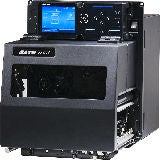
Five easy steps of S84NX RFID configuration
- Determine printer orientation
- Examine labels to determine printer settings.
- Refer to the UHF Inlay Configuration Guide for tested inlays.
- Set up printer. (Refer to web manual for printer settings)
- Menu Settings
- Set labels and carbon ribbon
- Confirm operation by printing / encoding a label.
Please check with your local SATO office regarding availability in your region
CL4NX Plus UHF or HF & NFC
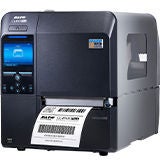
The CL4NX Plus thermal printer encoder is capable of printing and encoding smart labels conforming with the EPC global Class 1 Generation 2 standard (ISO / IEC 18000 6C) or ISO / IEC 15693 and ISO / IEC 14443 Type A, depending on which RFID option is being used. This page will help you select a SATO tested inlay and configure your CL4NX Plus to print and encode it.
Please select the appropriate guide materials for the RFID option installed in your CL4NX Plus (either UHF or HF & NFC*).
UHF Option = Compliant with EPC Class 1 Generation 2 (ISO / IEC 18000 6C) Standard
HF & NFC Option = Compliant with ISO / IEC 15693 or ISO / IEC 14443 Type A Standards
Four easy steps of RFID configuration
- Examine labels to determine printer settings.
- Refer to the UHF Inlay Configuration Guide or HF & NFC Inlay Configuration Guide for tested inlays.
- Set up printer. (Refer to the web manual for printer settings)
- Menu Settings
- Physical Antenna Position
- Set labels and carbon ribbon
- Confirm operation by printing / encoding a label.
Documents
UHF Inlay Configuration Guide
- Filename
- CL4NX_Plus_UHF_Inlay_Configuration_Guide.pdf
- Format
- Size
- 739.22 KB
HF & NFC Inlay Configuration Guide
- Filename
- CL4NXPlus_RFID_HF_Inlay_Configration_Guide.pdf
- Format
- Size
- 645.82 KB
Please check with your local SATO office regarding availability in your region.
CL6NX Plus UHF
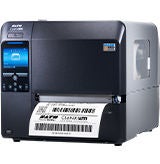
The CL6NX Plus thermal printer encoder is capable of printing and encoding smart labels conforming with the EPC global Class 1 Generation 2 standard (ISO / IEC 18000 6C). This page will help you select a SATO tested inlay and configure your CL6NX Plus to print and encode it.
UHF Option = Compliant with EPC Class 1 Generation 2 (ISO / IEC 18000 6C) Standard
Four easy steps of RFID configuration
- Examine labels to determine printer settings.
- Refer to the UHF Inlay Configuration Guide for tested inlays.
- Set up printer. (Refer to the web manual for printer settings)
- Menu Settings
- Physical Antenna Position
- Set labels and carbon ribbon
- Confirm operation by printing / encoding a label.
Documents
UHF Inlay Configuration Guide
- Filename
- CL6NX-Plus_RFID_UHF_Inlay_Configration_Guide.pdf
- Format
- Size
- 665.27 KB
Please check with your local SATO office regarding availability in your region.
CT4-LX UHF or HF & NFC
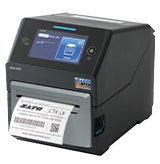
The CT4-LX thermal printer encoder is capable of printing and encoding smart labels conforming with the EPCglobal Class-1 Generation-2 standard (ISO / IEC 18000 6C) or or ISO / IEC 15693 and ISO / IEC 14443 Type A standard. This page will help you select a SATO tested inlay and configure your CT4-LX to print and encode it.
Four easy steps of RFID configuration
- Examine labels to determine printer settings.
- Refer to the UHF Inlay Configuration Guide or HF & NFC Inlay Configuration Guide for tested inlays.
- Set up printer. (Refer to the web manual for printer settings)
- Menu Settings
- Physical Antenna Position
- Set labels and carbon ribbon
- Confirm operation by printing / encoding a label.
Documents
UHF Inlay Configuration Guide
- Filename
- CT4-LX_UHF_Inlay_Configuration_Guide.pdf
- Format
- Size
- 1.14 MB
HF & NFC Inlay Configuration Guide
- Filename
- CT4-LX_HF_Inlay_Configuration_Guide.pdf
- Format
- Size
- 624.44 KB
Please check with your local SATO office regarding availability in your region.
CL4NX UHF or HF & NFC
The CL4NX thermal printer encoder is capable of printing and encoding smart labels conforming with the EPCglobal Class 1 Generation 2 standard (ISO / IEC 18000 6C) or ISO / IEC 15693 and ISO / IEC 14443 Type A, depending on which RFID option is being used. This page will help you select a SATO tested inlay and configure your CL4NX to print and encode it.
Please select the appropriate guide materials for the RFID option installed in your CL4NX (either UHF or HF & NFC*).
UHF Option = Compliant with EPC Class 1 Generation 2 (ISO / IEC 18000 6C) Standard
HF & NFC Option = Compliant with ISO / IEC 15693 or ISO / IEC 14443 Type A Standards
Four easy steps of RFID configuration
- Examine labels to determine printer settings.
- Refer to the UHF Inlay Configuration Guide or HF & NFC Inlay Configuration Guide for tested inlays.
- Set up printer. (Refer to the web manual or HF & NFC RFID configuration guide for printer settings)
- Menu Settings
- Physical Antenna Position
- Set labels and carbon ribbon
- Confirm operation by printing / encoding a label.
Documents
HF & NFC RFID configuration guide
- Filename
- CL4NX_HF_RFIDConfigurationGuide.pdf
- Format
- Size
- 1.19 MB
UHF Inlay Configuration Guide
- Filename
- CL4NX_UHF_Inlay_Configuration_Guide.pdf
- Format
- Size
- 1.35 MB
HF & NFC Inlay Configuration Guide
- Filename
- CL4NX_HF_Inlay_Configuration_Guide.pdf
- Format
- Size
- 1.34 MB
Please check with your local SATO office regarding availability in your region.
S84-ex UHF
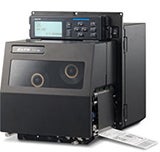
The S84-ex print engine can be used to print and encode smart labels conforming to the EPC Class 1 Generation 2 (ISO / IEC 18000 6C) standard. The following information will help you select a SATO tested inlay and configure your printer to print and encode it.
Five easy steps of S84-ex RFID configuration
- Determine printer orientation
- Examine labels to determine printer settings.
- Refer to the UHF Inlay Configuration Guide for tested inlays.
- Set up printer. (Refer to web manual for printer settings)
- Menu Settings
- Set labels and carbon ribbon
- Confirm operation by printing / encoding a label.
Please check with your local SATO office regarding availability in your region.